




Online gaming can be convenient and entertaining, but account security and payment protection should always come first. Whether you are accessing a gaming platform from a smartphone, tablet, or computer, basic security habits can reduce the risk of unauthorized access, phishing attempts, and payment-related problems.
For users of KheloExch, maintaining control over login details and carefully checking financial transactions are important parts of responsible platform use. The same principle applies to anyone using Khelo Exchange or another online gaming service: never share sensitive credentials, verify where you are entering information, and keep records of important transactions.
This guide explains practical ways to improve account security, identify suspicious activity, and handle payments more carefully.
Why Account Safety Matters
An online gaming account may contain personal information, login credentials, transaction records, and other sensitive details. If someone gains unauthorized access, they may attempt to change account information or misuse available payment options.
Users should therefore treat their KheloExch account like any other online account. A strong password, secure device, and cautious approach to links and messages can make a significant difference.
Important security principles include:
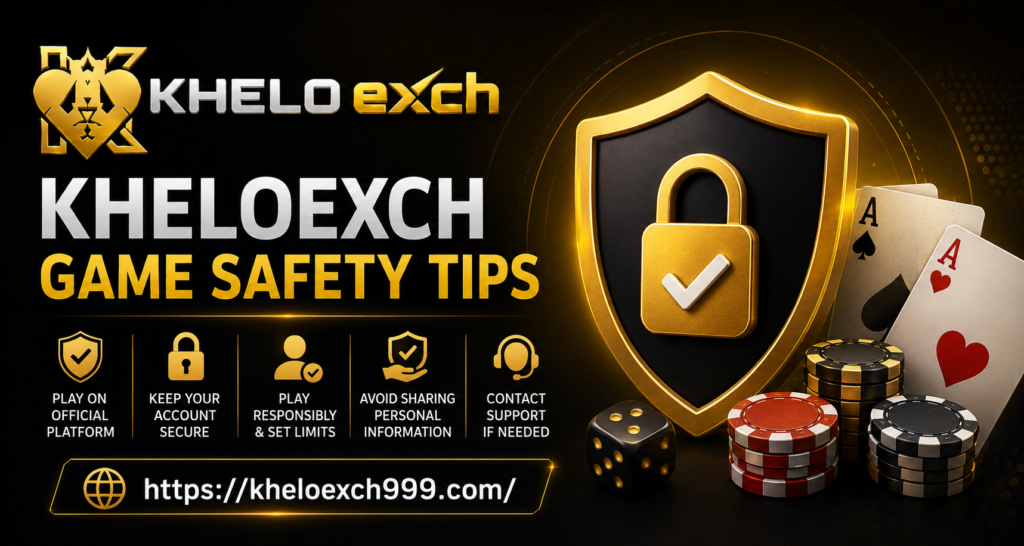
- Use a strong and unique password.
- Never share your password or verification codes.
- Avoid logging in through unknown links.
- Keep your phone and computer updated.
- Review account activity regularly.
- Use secure internet connections whenever possible.
- Contact official support if unusual activity appears.
Protect Your Khelo Exchange Login Details
Your username, password, PIN, and one-time verification codes should remain private. Legitimate support representatives should not need your password or ask you to disclose confidential authentication codes through random messages.
Create a password that is difficult to guess. Avoid using easily available information such as your name, birthday, phone number, or simple number combinations.
If the platform provides additional security features, enable them. Multi-factor authentication, where available, can provide an additional layer of protection beyond a password.
For Khelo Exchange users, another useful practice is avoiding automatic login on shared computers or devices. Always log out after using an account on a device that other people can access.
Payment Safety Should Come First
Payment security requires extra attention because financial transactions can involve sensitive information. Before making any transaction, verify the payment details and ensure you are using the platform’s recognized payment process.
Do not transfer money to an unfamiliar person simply because they claim to represent KheloExch. Be particularly careful with social-media messages, unsolicited calls, and chat messages promising special payment arrangements.
A useful approach is to pause whenever a payment request seems unusual. Check the recipient details, transaction amount, and instructions before proceeding.
Payment Safety Checklist
- Confirm the payment destination before transferring funds.
- Keep transaction receipts and reference numbers.
- Never provide your banking password or OTP to another person.
- Avoid clicking payment links received from unknown sources.
- Check your bank or wallet statement after a transaction.
- Report suspicious payment requests immediately.
- Never allow another person to operate your financial account for you.
Recognizing Phishing and Fake Messages
Phishing is one of the most common online security threats. A scammer may send a message pretending to be customer support and ask for login credentials, verification codes, or payment information.
These messages can sometimes look convincing. They may use familiar logos, urgent language, or claims that your account will be suspended unless you act immediately.
When using Khelo Exchange, carefully inspect unexpected emails, SMS messages, social-media communications, and website addresses before entering personal information.
Common Warning Signs
| Warning Sign | Why It Matters | Safer Response |
| Urgent payment request | May be designed to create panic | Verify independently |
| Request for OTP | Verification codes are sensitive | Never share it |
| Unknown login link | Could lead to a fake website | Navigate manually |
| Unrealistic reward claim | May be a phishing tactic | Check official information |
| Request for password | Legitimate support should not need it | Refuse and report |
| Unfamiliar payment account | Money may go to an unauthorized recipient | Stop and verify |
Use a Secure Device and Network
Account security also depends on the device you use. Keep your operating system, browser, and security software updated. Updates frequently include fixes for vulnerabilities that attackers could exploit.
Avoid signing into important accounts from public computers whenever possible. Public Wi-Fi can also create additional risks, particularly if the network is unsecured.
If you must use a shared device, do not save passwords in the browser. Log out completely when finished and avoid storing payment information on computers that other people can access.
Keep Your Contact Information Updated
Having accurate account recovery information can make it easier to regain access if you forget your password or encounter suspicious activity.
If KheloExch provides account recovery or verification settings, review them periodically. Make sure the information associated with the account is accurate and belongs to you.
Never allow another person to register an account using their personal information on your behalf. Keeping account ownership and recovery details under your own control can reduce confusion if verification is required.
Monitor Account and Transaction Activity
Regular monitoring is a simple but effective security habit. Look for unfamiliar login activity, unexpected account changes, or transactions that you do not recognize.
For Khelo Exchange users, maintaining transaction records can also help when resolving payment questions. Save relevant receipts, reference numbers, dates, and amounts.
If something appears incorrect, do not continue making transactions until the issue has been clarified through an appropriate support channel.
What to Do If You Suspect Unauthorized Access
If you believe your account has been compromised, act quickly.
- Change your password immediately.
- Sign out of other sessions if the option is available.
- Review recent account and payment activity.
- Secure the email account connected to your profile.
- Contact the platform’s official support channel.
- Inform your bank or payment provider if you notice an unauthorized transaction.
- Keep screenshots and transaction references for documentation.
Do not attempt to recover an account through unofficial individuals claiming they can provide special access.
Responsible Use and Financial Awareness
Security is not limited to passwords and payment methods. Responsible gaming also means maintaining control over spending and avoiding decisions made under pressure.
Set a personal spending limit before using any paid gaming service and avoid chasing losses. Never borrow money or use funds needed for essential expenses to continue playing.
Users should also understand the terms, fees, withdrawal requirements, and applicable restrictions associated with a platform before committing funds. Rules can change, so checking current information is preferable to relying on old promotional posts or third-party claims.
Quick Safety Comparison
| Security Area | Risky Habit | Better Practice |
| Password | Reusing simple passwords | Use a unique strong password |
| Login | Clicking unknown links | Use a verified platform address |
| OTP | Sharing codes | Keep verification codes private |
| Payments | Sending funds to unknown accounts | Verify payment details first |
| Device | Using outdated software | Install security updates |
| Wi-Fi | Using unsecured public networks | Prefer trusted connections |
| Support | Contacting random agents | Use recognized support channels |
| Records | Ignoring transaction history | Save receipts and references |
Final Safety Tips
Before using Khelo Exch, take a few minutes to review your security setup. Strong credentials, careful payment verification, updated devices, and awareness of phishing attempts can significantly reduce avoidable risks.
Remember these key points:
- Keep passwords and OTPs confidential.
- Verify websites before entering credentials.
- Never trust unexpected payment instructions.
- Keep transaction records.
- Monitor account activity.
- Contact official support when something looks suspicious.
- Set sensible personal spending limits.
- Follow applicable laws and platform rules in your location.
Conclusion
A safer online gaming experience begins with simple habits. Khelo Exchange users should take responsibility for protecting their login information, devices, payment details, and personal records rather than relying entirely on a platform’s security measures.
By using strong passwords, recognizing suspicious communications, verifying payment details, and responding quickly to unusual activity, users can reduce common security risks. Most importantly, never share confidential credentials with another person and never make financial decisions because of pressure or urgency.
The best approach to KheloExch account safety is prevention: stay alert, verify information before acting, maintain control of your account, and use only trusted support and payment channels.